As an Amazon and Walmart Associate I earn from qualifying purchases.
TL;DR:
Smart lights use apps, voice assistants, switches, plugs, sensors, schedules, or hubs for local and remote control.
Bluetooth, Matter, Zigbee, Z-Wave, and local hubs can preserve control when internet service fails.
Smart bulbs suit color scenes, switches manage fixed fixtures, and plugs automate existing lamps without permanent wiring.
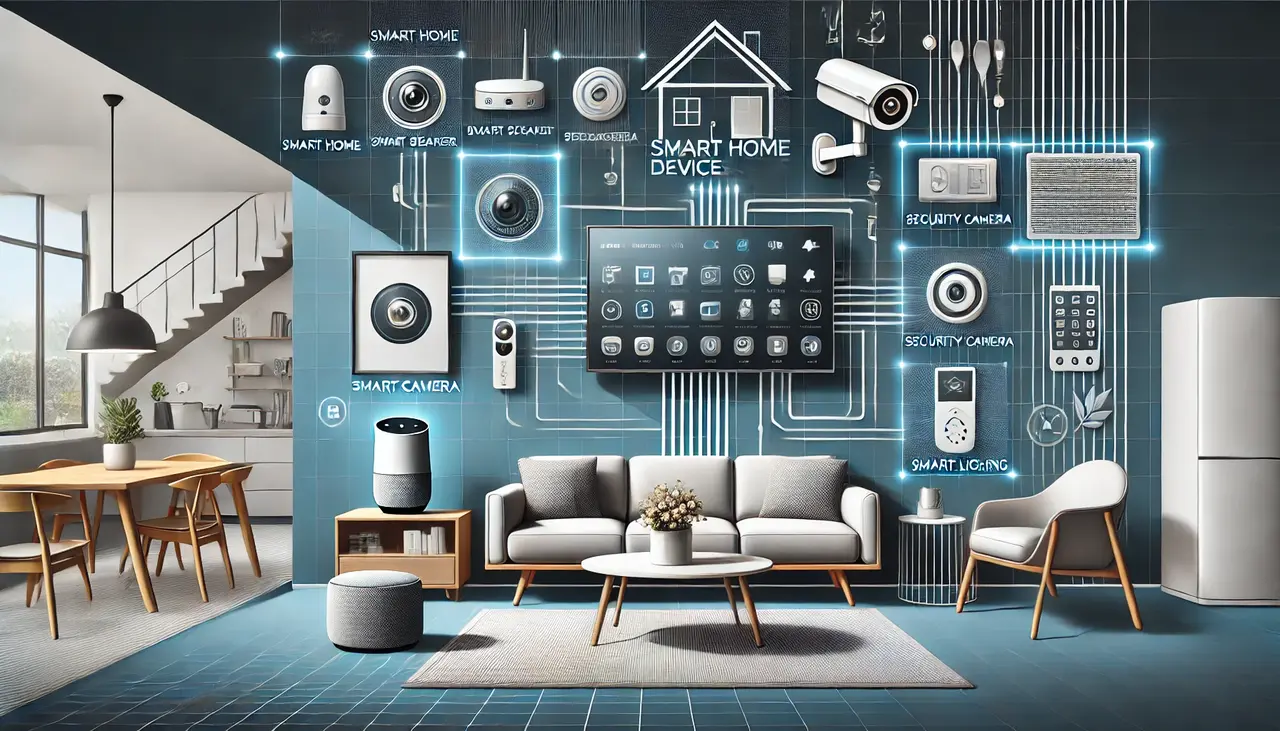
Smart LED lights have a stable wireless connection, mobile app, smart-home platform, and optional hub. These tools let users change brightness, colours, schedules, and settings of the LED lights.
You can use LED lights in any home kitchen. It works perfectly inside a dark storage pantry, brightening your storeroom or office easily. Light up a warehouse, open yard, or garage. Also, place them on the ceiling, attic, basement, or under furniture.
For over ten years, I’ve used automated lighting gadgets in my house. I have tested many different lights in various rooms and open yards.
Do you want to know how to control smart lights? Please read the navigation guide below and explore homesdevice.com for helpful tips.
Local Control vs Remote Control
Local and remote controls can perform similar lighting activities. However, both use different networks, devices, and communication paths. Understanding both options helps buyers choose lights for control, automation, security, convenience, and emergency access.
Wi-Fi-Connected Control
Choose Wi-Fi-connected control for places where each light is attached to one familiar mobile app. Customers get room access, flexible dimming, and simple commands. However, some products still use cloud servers for home-connected options.
Remote Control
Remote control sends commands through internet-based cloud services. It supports forgotten-light shutdown, vacation schedules, and security checks from distant locations. You can save money on energy bills.
What Happens When the Internet Goes Down?
An internet glitch does not leave smart lights unstable. It depends on Bluetooth, Wi-Fi, Matter, Zigbee, switches, plugs, and hubs. Keep manual controls available and use backup lighting for power problems.
Physical Switch Availability
Keep a physical wall switch, remote button, or plug button available. These controls provide basic on-and-off access when apps become unavailable. Household members can still operate essential bedroom, hallway, kitchen, garage, and entrance lights without using online services.
Bluetooth or Local-Network Control
Check whether the lighting system supports Bluetooth or direct local-network commands. You can use it to remain within the supported range, keep the router powered, and save the app on your phone.
Previously Saved Schedules
Some lighting systems store schedules inside bulbs, hubs, or local controllers. Previously saved routines may continue during an internet outage.
Test each schedule before purchasing it, because cloud-only servers stop frequently when the brand’s online service becomes unavailable.
Hub-Based Local Automations
A Zigbee, Z-Wave, Thread, or Matter hub may process automations locally. Motion sensors and physical buttons can therefore remain useful during internet problems.
Choose a hub with local processing, battery backup options, and clear offline-control information from its manufacturer.
Five Ways of Controlling Smart LED Lights in TX
Different ways of controlling serve different fixtures, rooms, properties, and budgets. The right option depends on existing wiring, lamp styles, internet coverage, automation goals, and household habits.
Method One: Control Lights With a Smartphone App
A smartphone app controls brightness, colour, schedules, scenes, and rooms. This method works well for beginners because setup requires little equipment. It supports bedrooms, offices, kitchens, lamps, outdoor fixtures, and storage areas.
Materials Needed
- Smart LED bulbs
- Smartphone or tablet
- Stable Wi-Fi connection
- Mobile application
- User account for remote access
- Optional smart hub or gateway
- Contact sensor
Steps for Smartphone App Control
- Install the compatible bulb inside the selected lamp or fixture.
- Keep the normal wall switch in its powered position.
- Download the official application for your smart lighting brand.
- Create an account and select the device-adding option.
- Connect the light using Wi-Fi, Bluetooth, or its hub.
- Name every bulb according to its room and location.
- Test power, brightness, dimming, colors, and grouped controls.
- Connect a sensor for motion-triggered lighting inside dark areas.
- Create sunrise and sunset schedules for outdoor fixtures.
- Enable geofencing and arrival detection through location settings.
Method Two: Use Voice Commands Through a Smart Speaker
You can use voice control to manage lights without touching switches or phones. It works well while cooking, carrying items, entering dark rooms, or resting.
Materials Needed
- Smart LED lights
- Smart speaker or smart display
- Smartphone with the speaker application
- Home Wi-Fi connection
- Lighting brand account
- Supported voice-assistant service
- Optional hub and motion sensors
Steps for Voice Control
- Complete the light setup inside the manufacturer’s application.
- Set up the smart speaker on the same home network.
- Open the speaker application and add the lighting service.
- Sign into the correct lighting account when requested.
- Allow the platform to discover your bulbs and switches.
- Assign each device to its correct room or group.
- Test simple commands for power, brightness, and color changes.
- Create a voice routine for motion-triggered lighting events.
- Add sunrise and sunset schedules for selected rooms.
- Use arrival detection to start a welcome-home routine.
Method Three: Control Regular Lamps With Smart Plugs
Choose smart plugs to attach existing table lamps and floor lamps with connected devices. They offer app control, voice commands, timers, and basic automation.
Materials Needed
- Smart plug
- Regular lamp with a physical switch
- Standard LED bulb
- Smartphone and mobile application
- Home Wi-Fi or supported hub
- Optional voice assistant
- Optional motion sensor
Steps for Smart-Plug Control
- Confirm that the lamp’s power use matches the plug rating.
- Insert the smart plug into a suitable wall outlet.
- Connect the lamp and leave its physical switch turned on.
- Add the smart plug through its official mobile application.
- Name the device using the room and lamp location.
- Test remote power control from the smartphone application.
- Connect a sensor for motion-triggered lamp control.
- Set sunrise and sunset schedules for window-side lamps.
- Create geofencing routines for arrivals and departures.
- Keep the plug’s manual button easy for everyone to reach.
Method Four: Replace Wall Controls With Smart Switches
You can use smart switches to control ceiling lights and several bulbs from one wall location. They preserve familiar physical control while adding apps, schedules, sensors, and voice commands.
Materials Needed
- Supported lighting fixture and electrical load
- Smart switch or dimmer
- Home Wi-Fi or compatible smart hub
- Smartphone with the required application
- Optional motion or occupancy sensor
- Qualified electrician for safe installation
Steps for Smart-Switch Control
- Check the fixture type and switch requirements before purchasing.
- Ask a qualified electrician to inspect the existing wiring.
- Confirm neutral-wire, load, and multiway-switch compatibility when required.
- Have the electrician install and test the smart wall control.
- Add the installed switch through its supported mobile application.
- Name the switch according to the room and fixture.
- Test physical, app, voice, dimming, and group controls.
- Connect sensors for motion-triggered ceiling lighting.
- Add sunrise and sunset routines for outdoor switches.
- Create arrival-based automation for entrances and garages.
Method Five: Use Sensors, Schedules, and Automatic Routines
Use automatic lighting controls to stop repeating manual commands. Sensors can detect movement, schedules follow time, and geofencing responds to location.
These routines are useful inside hallways, pantries, bathrooms, garages, basements, warehouses, yards, closets, and under-cabinet areas.
Materials Needed
- Smart bulbs, plugs, or switches
- Compatible mobile application
- Motion or occupancy sensors
- Smart hub when required
- Home router and internet connection
- Smartphone with location access
- Optional light and door sensors
Steps for Automatic Lighting Control
- Install every light and sensor in its planned location.
- Add all devices to the same smart-home platform.
- Group lights according to rooms, zones, or activity areas.
- Create motion-triggered lighting for hallways and storage rooms.
- Choose suitable brightness levels for daytime and nighttime movement.
- Set automatic shutoff delays after movement is no longer detected.
- Create sunrise and sunset schedules for outdoor lighting.
- Add geofencing and arrival detection for entrance lights.
- Test every routine during different times and lighting conditions.
- Keep physical controls available when automation needs manual correction.
Smart Bulbs vs Smart Switches vs Smart Plugs
Each control type is effective for different lighting problems. Smart bulbs provide colour options, switches manage fixed fixtures, and plugs connect regular lamps.
Smart Bulbs
Smart bulbs work best inside lamps, bedrooms, and smaller lighting setups. Installation is easy, while supported models provide brightness, white-tone, and color control.
Smart Switches and Dimmers
Smart switches suit ceiling fixtures and rooms containing several bulbs. One switch controls the full lighting circuit while preserving normal wall access.
Smart Plugs
Smart plugs work best with table lamps and floor lamps. They make existing lighting controllable through apps, voice assistants, timers, and routines.
Whole-Home Smart Lighting Systems
Whole-home systems support larger houses, offices, warehouses, and outdoor areas. These systems usually provide dependable automation, hubs, switches, sensors, and installation increase the starting cost.
Comparison Table of Smart Bulbs vs Smart Switches vs Smart Plugs:
| Point | Smart Bulbs | Smart Switches | Smart Plugs |
| Installation difficulty | Easy bulb replacement | Moderate or difficult; professional installation recommended | Easy plug-in setup |
| Approximate cost | About $8–$60 per bulb | About $20–$80, excluding installation | About $8–$35 per plug |
| Renter-friendly | Yes, when original bulbs remain stored | Usually not suitable for renters | Yes, with no permanent changes |
| Manual control | Wall switch must usually remain powered | Full physical wall control remains available | Plug button or lamp switch |
| Color control | Available on color-capable models | Usually unavailable with regular bulbs | Not normally available |
| Hub requirement | Optional, depending on protocol | Optional, depending on model | Usually unnecessary for Wi-Fi models |
| Best use case | Bedrooms, lamps, scenes, and small setups | Ceiling fixtures and shared family rooms | Floor lamps and table lamps |
How Long Can You Control Smart LED Lights?
Smart lights can remain controllable for years when power, networking, apps, and hardware work correctly. However, each command depends on the chosen connection method.
Router quality, hub condition, bulb life, software support, and cloud availability affect long-term performance.
Connection Type
Wi-Fi smart lights depend on router coverage and supported app services. Bluetooth lights provide nearby control without internet.
Hub-based Zigbee or Z-Wave lights use a separate local network, which often supports wider coverage, grouped devices, sensors, buttons, and local routines.
Remote Control Availability
Remote access depends on internet stability, hub performance, app servers, router range, and continuous fixture power. Lighting near entrances should also match proper camera positioning, since night view requires lights across important outdoor areas.
Control Remotely
You can use remote control to turn lights on or off from anywhere. They can schedule routines, follow sunrise or sunset, and activate motion sensors.
Can I control smart lights without Wi-Fi?
Some systems support Bluetooth, Matter, Zigbee, or hub-based local commands. Knowing about offline compatibility and manual backup control helps buyers avoid losing basic lighting access during internet problems.
Can smart lights be controlled away from home?
Yes, supported applications provide remote access through an internet connection. Customers should understand account security and network reliability because both factors affect safe and dependable away-from-home lighting control.
Do smart bulbs work with regular wall switches?
Yes, but the wall switch must normally remain powered. Understanding constant power needs and family usage habits prevents disconnected bulbs, failed routines, unavailable voice commands, and confusing manual operation.
Can one application control smart lights from different brands?
A shared platform may control several supported brands through Matter or integrations. Check platform compatibility and feature support, because color scenes, sensors, schedules, and updates may differ between manufacturers.
Are smart switches better than smart bulbs?
Smart switches suit ceiling fixtures, while bulbs provide color scenes. Review suitable connected wall controls because fixture type and physical access determine the better choice.
Do smart bulbs work with regular wall switches?
Yes, but the wall switch must normally remain powered. Understanding constant power needs and family usage habits prevents disconnected bulbs, failed routines, unavailable voice commands, and confusing manual operation.
Conclusion
How to control smart lights is the first thing buyers should carefully learn today. This helpful guide exactly shows why choosing top-quality automated bulbs matters so much.
Customers can easily save energy costs while preventing annoying wireless network connection problems.
As an Amazon and Walmart Associate I earn from qualifying purchases.